Julia GUI Designer
The Julia GUI designer places controls on a window and writes the Julia that builds them. A chemistry app can show a sample form, a spectra panel and a result read from the MatDeck document on the same screen.
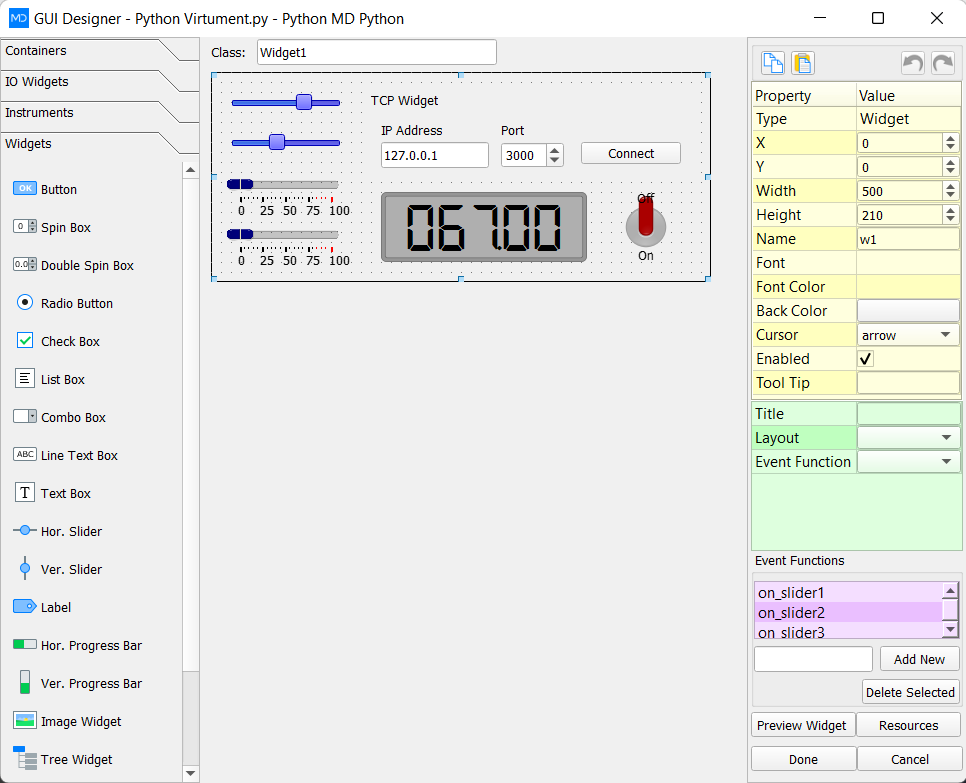
LabDeck's Julia GUI designer is the full tool. The 12 products here split the job: windows, a widget catalog, layout, callbacks, menus and dialogs, canvas and plots, data grids, a property editor, themes, a code exporter, multi-window scaffolds and a packager. Each one ships in 14 versions.
A grid or a plot can point at a MatDeck vector, so the Julia window shows the same concentration or spectrum as the sheet. Packaging uses that generated Julia rather than a layout redrawn in another tool.
Products in this group (12)
- Julia Window Designer — Lay out Julia windows for a chemistry app and keep the generated code.
- Julia Widget Catalog — Buttons, fields, labels and panels ready to drop on a Julia form.
- Julia Layout Grid — Rows, columns and spacing that stay aligned when the window resizes.
- Julia Callback Binding — Click and value callbacks written next to the widget.
- Julia Menu and Dialog Builder — Menus and dialogs for method prompts in a Julia GUI.
- Julia Canvas and Plot Panel — Draw and plot spectra on a panel inside the Julia window.
- Julia Data Grid — Sample and concentration grids shown inside the Julia GUI.
- Julia Property Editor — Edit widget properties without leaving the designer.
- Julia Theme Pack — Colours and type saved for the next Julia chemistry GUI.
- Julia Code Exporter — Export the designed window as Julia code you can build on.
- Julia Multi-window Scaffold — Main window, child windows and shared chemistry state.
- Julia App Packager — Package the designed Julia GUI as an application you can ship.